
Grayscale image

You are encouraged to solve this task according to the task description, using any language you may know.
Many image processing algorithms are defined for grayscale (or else monochromatic) images.
- Task
Extend the data storage type defined on this page to support grayscale images.
Define two operations, one to convert a color image to a grayscale image and one for the backward conversion.
To get luminance of a color use the formula recommended by CIE:
L = 0.2126 × R + 0.7152 × G + 0.0722 × B
When using floating-point arithmetic make sure that rounding errors would not cause run-time problems or else distorted results when calculated luminance is stored as an unsigned integer.
11l
T Colour
   Byte r, g, b

   F (r, g, b)
      .r = r
      .g = g
      .b = b

   F ==(other)
      R .r == other.r & .g == other.g & .b == other.b

V black = Colour(0, 0, 0)
V white = Colour(255, 255, 255)

T Bitmap
   Int width, height
   Colour background
   [[Colour]] map

   F (width = 40, height = 40, background = white)
      assert(width > 0 & height > 0)
      .width = width
      .height = height
      .background = background
      .map = (0 .< height).map(h -> (0 .< @width).map(w -> @@background))

   F fillrect(x, y, width, height, colour = black)
      assert(x >= 0 & y >= 0 & width > 0 & height > 0)
      L(h) 0 .< height
         L(w) 0 .< width
            .map[y + h][x + w] = colour

   F set(x, y, colour = black)
      .map[y][x] = colour

   F get(x, y)
      R .map[y][x]

   F togreyscale()
      L(h) 0 .< .height
         L(w) 0 .< .width
            V (r, g, b) = .get(w, h)
            V l = Int(0.2126 * r + 0.7152 * g + 0.0722 * b)
            .set(w, h, Colour(l, l, l))

   F writeppmp3()
      V magic = "P3\n"
      V comment = "# generated from Bitmap.writeppmp3\n"
      V s = magic‘’comment‘’("#. #.\n#.\n".format(.width, .height, 255))
      L(h) (.height - 1 .< -1).step(-1)
         L(w) 0 .< .width
            V (r, g, b) = .get(w, h)
            s ‘’= ‘   #3 #3 #3’.format(r, g, b)
         s ‘’= "\n"
      R s

V bitmap = Bitmap(4, 4, white)
bitmap.fillrect(1, 0, 1, 2, Colour(127, 0, 63))
bitmap.set(3, 3, Colour(0, 127, 31))
print(‘Colour:’)
print(bitmap.writeppmp3())
print(‘Grey:’)
bitmap.togreyscale()
print(bitmap.writeppmp3())- Output:
Colour:
P3
# generated from Bitmap.writeppmp3
4 4
255
   255 255 255   255 255 255   255 255 255     0 127  31
   255 255 255   255 255 255   255 255 255   255 255 255
   255 255 255   127   0  63   255 255 255   255 255 255
   255 255 255   127   0  63   255 255 255   255 255 255

Grey:
P3
# generated from Bitmap.writeppmp3
4 4
255
   254 254 254   254 254 254   254 254 254    93  93  93
   254 254 254   254 254 254   254 254 254   254 254 254
   254 254 254    31  31  31   254 254 254   254 254 254
   254 254 254    31  31  31   254 254 254   254 254 254
Action!
Part of the solution is available in RGB2GRAY.ACT.
INCLUDE "H6:RGB2GRAY.ACT" ;from task Grayscale image

PROC PrintB3(BYTE x)
  IF x<10 THEN
    Print("  ")
  ELSEIF x<100 THEN
    Print(" ")
  FI
  PrintB(x)
RETURN

PROC PrintRgbImage(RgbImage POINTER img)
  BYTE x,y
  RGB c

  FOR y=0 TO img.h-1
  DO
    FOR x=0 TO img.w-1
    DO
      GetRgbPixel(img,x,y,c)
      Put(32)
      PrintB3(c.r) Put(32)
      PrintB3(c.g) Put(32)
      PrintB3(c.b) Put(32)
    OD
    PutE()
  OD
RETURN

PROC PrintGrayImage(GrayImage POINTER img)
  BYTE x,y,c

  FOR y=0 TO img.h-1
  DO
    FOR x=0 TO img.w-1
    DO
      c=GetGrayPixel(img,x,y)
      Put(32)
      PrintB3(c)
    OD
    PutE()
  OD
RETURN

PROC Main()
  BYTE ARRAY rgbdata=[
      0   0   0    0   0 255    0 255   0
    255   0   0    0 255 255  255   0 255
    255 255   0  255 255 255   31  63 127
     63  31 127  127  31  63  127  63  31]
  BYTE ARRAY graydata(12)
  BYTE width=[3],height=[4],LMARGIN=$52,oldLMARGIN
  RgbImage rgbimg
  GrayImage grayimg

  oldLMARGIN=LMARGIN
  LMARGIN=0 ;remove left margin on the screen
  Put(125) PutE() ;clear the screen
  InitRgbToGray()
  InitRgbImage(rgbimg,width,height,rgbdata)
  InitGrayImage(grayimg,width,height,graydata)

  PrintE("Original RGB image:")
  PrintRgbImage(rgbimg) PutE()

  RgbToGray(rgbimg,grayimg)
  PrintE("RGB to grayscale image:")
  PrintGrayImage(grayimg) PutE()

  GrayToRgb(grayimg,rgbimg)
  PrintE("Grayscale to RGB image:")
  PrintRgbImage(rgbimg)

  LMARGIN=oldLMARGIN ;restore left margin on the screen
RETURN- Output:
Screenshot from Atari 8-bit computer

Original RGB image:
  0   0   0    0   0 255    0 255   0
255   0   0    0 255 255  255   0 255
255 255   0  255 255 255   31  63 127
 63  31 127  127  31  63  127  63  31

RGB to grayscale image:
  0  18 182
 54 201  73
237 255  61
 45  54  74

Grayscale to RGB image:
  0   0   0   18  18  18  182 182 182
 54  54  54  201 201 201   73  73  73
237 237 237  255 255 255   61  61  61
 45  45  45   54  54  54   74  74  74
Ada
type Grayscale_Image is array (Positive range <>, Positive range <>) of Luminance;
Conversion to a grayscale image:
function Grayscale (Picture : Image) return Grayscale_Image is
   type Extended_Luminance is range 0..10_000_000;
   Result : Grayscale_Image (Picture'Range (1), Picture'Range (2));
   Color  : Pixel;
begin
   for I in Picture'Range (1) loop
      for J in Picture'Range (2) loop
         Color := Picture (I, J);
         Result (I, J) :=
            Luminance
            (  (  2_126 * Extended_Luminance (Color.R)
               +  7_152 * Extended_Luminance (Color.G)
               +    722 * Extended_Luminance (Color.B)
               )
            /  10_000
            );
      end loop;
   end loop;
   return Result;
end Grayscale;
Conversion to a color image:
function Color (Picture : Grayscale_Image) return Image is
   Result : Image (Picture'Range (1), Picture'Range (2));
begin
   for I in Picture'Range (1) loop
      for J in Picture'Range (2) loop
         Result (I, J) := (others => Picture (I, J));
      end loop;
   end loop;
   return Result;
end Color;
ATS
You will need bitmap_task.sats and bitmap_task.dats from Bitmap#ATS.
The ATS static file
This file should be called bitmap_grayscale_task.sats.
#define ATS_PACKNAME "Rosetta_Code.bitmap_grayscale_task"

staload "bitmap_task.sats"

(*------------------------------------------------------------------*)

(* Here is a type for 8-bit grayscale pixels. It is analogous to the
   rgb24 type defined in bitmap_task.sats. A gray8 is the size of a
   uint8. (It is, in fact, a uint8, but here that fact is hidden, so
   the ATS2 template and overload systems will know to treat gray8 as
   a distinct type.) *)
abst@ype gray8 = uint8

fn {tk : tkind}
gray8_make_uint : g0uint tk -<> gray8

fn {tk : tkind}
gray8_make_int : g0int tk -<> gray8

fn {}
gray8_value : gray8 -<> uint8

overload gray8_make with gray8_make_uint
overload gray8_make with gray8_make_int

(*------------------------------------------------------------------*)
(* Pixel conversions. *)

fn {}
rgb24_to_gray8 : rgb24 -<> gray8 (* This is a lossy conversion. *)

fn {}
gray8_to_rgb24 : gray8 -<> rgb24

fn {}
rgb24_to_rgb24 : rgb24 -<> rgb24

fn {}
gray8_to_gray8 : gray8 -<> gray8

(*------------------------------------------------------------------*)
(* What follows is actually a general pixmap conversion mechanism,
   not just one for conversions between gray8 and rgb24 pixels.

   There are several ways to tell the function how to convert a
   pixel. These methods include passing a function or any of the
   different kinds of closure. However, instead I will do it with the
   template system.

   To wit: when calling pixmap_convert<a,b> one must have an
   implementation of pixmap$pixel_convert<a,b> within the scope of the
   call.

   Note that pixmap_convert<a,a> can COPY a pixmap, although faster
   implementations of copying may be possible. *)

fn {a, b : t@ype}
pixmap_convert_copy :
  {w, h : int}
  (!pixmap (a, w, h),
   &array (b?, w * h) >> array (b, w * h)) ->
    void

fn {a, b : t@ype}
pixmap_convert_alloc :
  {w, h : int}
  (!pixmap (a, w, h)) ->
    [p : addr | null < p]
    @(mfree_gc_v p | pixmap (b, w, h, p))

fn {a, b : t@ype}
pixmap$pixel_convert :
  a -> b

overload pixmap_convert with pixmap_convert_copy
overload pixmap_convert with pixmap_convert_alloc

(*------------------------------------------------------------------*)
The ATS dynamic file
This file should be called bitmap_grayscale_task.dats.
(*------------------------------------------------------------------*)

#define ATS_DYNLOADFLAG 0
#define ATS_PACKNAME "Rosetta_Code.bitmap_grayscale_task"

#include "share/atspre_staload.hats"

staload "bitmap_task.sats"

(* You need to staload bitmap_task.dats, so the ATS compiler will have
   access to its implementations of templates. But we staload it
   anonymously, so the programmer will not have access. *)
staload _ = "bitmap_task.dats"

staload "bitmap_grayscale_task.sats"

(*------------------------------------------------------------------*)

assume gray8 = uint8

implement {tk}
gray8_make_uint i =
  let
    (* Define some type conversions we are likely to want, but which
       the prelude might not have implemented. (The ats2-xprelude
       package will have these conversions, but I am avoiding
       dependencies.) *)

    extern castfn g0uint2uint_uint8_uint8 : uint8 -<> uint8
    extern castfn g0uint2uint_uint_uint8 : uint -<> uint8

    implement
    g0uint2uint<uint8knd,uint8knd> i = g0uint2uint_uint8_uint8 i

    implement
    g0uint2uint<uintknd,uint8knd> i = g0uint2uint_uint_uint8 i
  in
    g0u2u i
  end

implement {tk}
gray8_make_int i =
  let
    (* Define a type conversion we are likely to want, but which the
       prelude might not have implemented. (The ats2-xprelude package
       will have the conversion, but I am avoiding dependencies.) *)

    extern castfn g0int2uint_int_uint8 : int -<> uint8

    implement
    g0int2uint<intknd,uint8knd> i = g0int2uint_int_uint8 i
  in
    g0i2u i
  end

implement {}
gray8_value gray = gray

(*------------------------------------------------------------------*)

implement {}
rgb24_to_gray8 rgb =
  (* There is no need for floating point here, although equivalent
     integer calculations are a bit longer to write out. *)
  let
    extern castfn i2u32 : int -<> uint32
    extern castfn u8_to_u32 : uint8 -<> uint32
    extern castfn u32_to_u8 : uint32 -<> uint8

    val @(r, g, b) = rgb24_values rgb
    val r = u8_to_u32 r
    and g = u8_to_u32 g
    and b = u8_to_u32 b

    val Y = (i2u32 2126 * r) + (i2u32 7152 * g) + (i2u32 722 * b)
    val Y1 = Y / i2u32 10000
    and Y0 = Y mod (i2u32 10000)
  in
    if Y0 < i2u32 5000 then
      gray8_make (u32_to_u8 Y1)
    else if i2u32 5000 < Y0 then
      gray8_make (succ (u32_to_u8 Y1))
    else if Y0 mod (i2u32 2) = i2u32 0 then
      gray8_make (u32_to_u8 Y1)
    else
      gray8_make (succ (u32_to_u8 Y1))
  end

implement {}
gray8_to_rgb24 gray =
  rgb24_make @(gray, gray, gray)

implement {}
rgb24_to_rgb24 rgb = rgb

implement {}
gray8_to_gray8 gray = gray

(*------------------------------------------------------------------*)

implement {a, b}
pixmap_convert_copy {w, h} (pix_a, arr_b) =
  let
    val w : size_t w = width pix_a
    and h : size_t h = height pix_a
    prval () = lemma_g1uint_param w
    prval () = lemma_g1uint_param h
  in
    if w = i2sz 0 then
      let
        prval () = mul_isfun (mul_make {w, h} (), mul_make {0, h} ())
        prval () = view@ arr_b := array_v_unnil_nil{b?,b} (view@ arr_b)
      in
      end
    else if h = i2sz 0 then
      let
        prval () = mul_isfun (mul_make {w, h} (), mul_make {w, 0} ())
        prval () = view@ arr_b := array_v_unnil_nil{b?,b} (view@ arr_b)
      in
      end
    else
      let
        stadef n = w * h

        val n = w * h
        prval () = mul_gte_gte_gte {w, h} ()

        val p = addr@ arr_b
        prval [p : addr] EQADDR () = eqaddr_make_ptr p

        fun
        loop {i : nat | i <= n}
             .<i>.
             (pf_b  : !array_v (b?, p, i) >> array_v (b, p, i) |
              pix_a : !pixmap (a, w, h),
              i     : size_t i)
            : void =
          if i = i2sz 0 then
            let
              prval () = pf_b := array_v_unnil_nil pf_b
            in
            end
          else
            let
              val i1 = pred i

              (* An exercise for a reader with nothing better to do:
                 write a proof that i1/w < h, so that the "mod h" can
                 be removed. It is there solely to provide a proof
                 that y < h. *)
              val x = i1 mod w
              and y = (i1 / w) mod h

              prval @(pf_b1, pf_elt) = array_v_unextend pf_b
              val elt = pixmap$pixel_convert<a,b> pix_a[x, y]
              val () = ptr_set<b> (pf_elt | ptr_add<b> (p, i1), elt)
              val () = loop (pf_b1 | pix_a, i1)
              prval () = pf_b := array_v_extend (pf_b1, pf_elt)
            in
            end
      in
        loop (view@ arr_b | pix_a, n)
      end
  end

implement {a, b}
pixmap_convert_alloc {w, h} pix_a =
  let
    val w : size_t w = width pix_a
    and h : size_t h = height pix_a
    prval () = lemma_g1uint_param w
    prval () = lemma_g1uint_param h

    stadef n = w * h
    val n = w * h
    prval () = mul_gte_gte_gte {w, h} ()

    val @(pf, pfgc | p) = array_ptr_alloc<b> n
    val () = pixmap_convert<a,b> (pix_a, !p);

    val pix_b = pixmap_make<b> (pf | w, h, p)
  in
    @(pfgc | pix_b)
  end

(*------------------------------------------------------------------*)
(* Implementations of pixmap$pixel_convert for conversions between
   gray8 and rgb24. The template system will inline these
   implementations into the code. *)

implement
pixmap$pixel_convert<rgb24,gray8> rgb =
  rgb24_to_gray8 rgb

implement
pixmap$pixel_convert<gray8,rgb24> gray =
  gray8_to_rgb24 gray

implement
pixmap$pixel_convert<rgb24,rgb24> rgb =
  rgb24_to_rgb24 rgb  (* For using pixmap_convert to COPY a pixmap. *)

implement
pixmap$pixel_convert<gray8,gray8> gray =
  gray8_to_gray8 gray (* For using pixmap_convert to COPY a pixmap. *)

(*------------------------------------------------------------------*)
(* Support for dump and load. The bytes will be written in a way
   that is directly usable in PGM and PAM files. *)

typedef FILEstar = $extype"FILE *"
extern castfn FILEref2star : FILEref -<> FILEstar

implement
pixmap$pixels_dump<gray8> (outf, pixels, n) =
  let
    val num_written =
      $extfcall (size_t, "fwrite", addr@ pixels, sizeof<gray8>, n,
                 FILEref2star outf)
  in
    num_written = n
  end

implement
pixmap$pixels_load<gray8> (inpf, pixels, n, elt) =
  let
    prval [n : int] EQINT () = eqint_make_guint n
    val num_read =
      $extfcall (size_t, "fread", addr@ pixels, sizeof<gray8>, n,
                 FILEref2star inpf)
  in
    if num_read = n then
      let
        prval () = $UNSAFE.castvwtp2void{@[gray8][n]} pixels
      in
        true
      end
    else
      begin
        array_initize_elt<gray8> (pixels, n, elt);
        false
      end
  end

(*------------------------------------------------------------------*)

#ifdef BITMAP_GRAYSCALE_TASK_TEST #then

implement
main0 () =
  let
    val failure_color = rgb24_make (255, 0, 0)

    stadef w = 512
    stadef h = 512
    val w : size_t w = i2sz 512
    and h : size_t h = i2sz 512

    val @(pfgc1 | pix1) = pixmap_make<rgb24> (w, h)
    val inpf = fileref_open_exn ("4.2.07.raw", file_mode_r)
    val success = load<rgb24> (inpf, pix1, failure_color)
    val () = fileref_close inpf
    val- true = success

    val @(pfgc2 | pix2) = pixmap_convert<rgb24,gray8> pix1
    val @(pfgc3 | pix3) = pixmap_convert<gray8,rgb24> pix2

    (* Write a Portable Pixel Map. *)
    val outf = fileref_open_exn ("image-color.ppm", file_mode_w)
    val () =
      begin
        fprintln! (outf, "P6");
        fprintln! (outf, w, " ", h);
        fprintln! (outf, "255");
        ignoret (dump<rgb24> (outf, pix1))
      end
    val () = fileref_close outf

    (* Write a Portable Gray Map. *)
    val outf = fileref_open_exn ("image-gray.pgm", file_mode_w)
    val () =
      begin
        fprintln! (outf, "P5");
        fprintln! (outf, w, " ", h);
        fprintln! (outf, "255");
        ignoret (dump<gray8> (outf, pix2))
      end
    val () = fileref_close outf

    (* Write a Portable Pixel Map. *)
    val outf = fileref_open_exn ("image-gray.ppm", file_mode_w)
    val () =
      begin
        fprintln! (outf, "P6");
        fprintln! (outf, w, " ", h);
        fprintln! (outf, "255");
        ignoret (dump<rgb24> (outf, pix3))
      end
    val () = fileref_close outf
  in
    free (pfgc1 | pix1);
    free (pfgc2 | pix2);
    free (pfgc3 | pix3)
  end

#endif

(*------------------------------------------------------------------*)
There is a test program, which can be compiled and run as follows:
$ patscc -std=gnu2x -g -O2 -DATS_MEMALLOC_LIBC -DATS BITMAP_GRAYSCALE_TASK_TEST bitmap{,_grayscale}_task.{s,d}ats
$ ./a.out
It expects raw 24-bit color data in a file called 4.2.07.raw. I have data from the SIPI test image "Peppers" in that file. Output will be three files, named image-color.ppm, image-gray.pgm, and image-gray.ppm. The first is "Peppers" as a PPM image, the second is the grayscale conversion as a PGM image, and the last is the grayscale conversion converted to a PPM image.
- Output:


BASIC256


w = 143
h = 188
name$ = "Mona_Lisa.jpg"
graphsize w,h
imgload w/2, h/2, name$
fastgraphics

for x = 0 to w-1
   for y = 0 to h-1
      p = pixel(x,y)
      b = p % 256
      p = p \256
      g = p % 256
      p = p \ 256
      r = p % 256
      l = 0.2126*r + 0.7152*g + 0.0722*b
      color rgb(l,l,l)
      plot x,y
   next y
   refresh
next x

imgsave "Grey_"+name$,"jpg"
BBC BASIC
This uses the formula for gamma-corrected images, which is more appropriate to this task (see discussion page).


      Width% = 200
      Height% = 200

      VDU 23,22,Width%;Height%;8,16,16,128
      *display c:\lena

      FOR y% = 0 TO Height%-1
        FOR x% = 0 TO Width%-1
          rgb% = FNgetpixel(x%,y%)
          r% = rgb% >> 16
          g% = (rgb% >> 8) AND &FF
          b% = rgb% AND &FF
          l% = INT(0.3*r% + 0.59*g% + 0.11*b% + 0.5)
          PROCsetpixel(x%,y%,l%,l%,l%)
        NEXT
      NEXT y%
      END

      DEF PROCsetpixel(x%,y%,r%,g%,b%)
      COLOUR 1,r%,g%,b%
      GCOL 1
      LINE x%*2,y%*2,x%*2,y%*2
      ENDPROC

      DEF FNgetpixel(x%,y%)
      LOCAL col%
      col% = TINT(x%*2,y%*2)
      SWAP ?^col%,?(^col%+2)
      = col%
C
Definition/interface for a grayscale image.
typedef unsigned char luminance;
typedef luminance pixel1[1];
typedef struct {
   unsigned int width;
   unsigned int height;
   luminance *buf;
} grayimage_t;
typedef grayimage_t *grayimage;

grayimage alloc_grayimg(unsigned int, unsigned int);
grayimage tograyscale(image);
image tocolor(grayimage);
The same as alloc_img, but for grayscale images.
grayimage alloc_grayimg(unsigned int width, unsigned int height)
{
     grayimage img;
     img = malloc(sizeof(grayimage_t));
     img->buf = malloc(width*height*sizeof(pixel1));
     img->width = width;
     img->height = height;
     return img;
}
Convert from color image to grayscale image.
grayimage tograyscale(image img)
{
   unsigned int x, y;
   grayimage timg;
   double rc, gc, bc, l;
   unsigned int ofs;

   timg = alloc_grayimg(img->width, img->height);

   for(x=0; x < img->width; x++)
   {
      for(y=0; y < img->height; y++)
      {
        ofs = (y * img->width) + x;
        rc = (double) img->buf[ofs][0];
        gc = (double) img->buf[ofs][1];
        bc = (double) img->buf[ofs][2];
        l = 0.2126*rc + 0.7152*gc + 0.0722*bc;
        timg->buf[ofs][0] = (luminance) (l+0.5);
      }
   }
   return timg;
}
And back from a grayscale image to a color image.
image tocolor(grayimage img)
{
   unsigned int x, y;
   image timg;
   luminance l;
   unsigned int ofs;

   timg = alloc_img(img->width, img->height);

   for(x=0; x < img->width; x++)
   {
      for(y=0; y < img->height; y++)
      {
        ofs = (y * img->width) + x;
        l = img->buf[ofs][0];
        timg->buf[ofs][0] = l;
        timg->buf[ofs][1] = l;
        timg->buf[ofs][2] = l;
      }
   }
   return timg;
}
Notes
- tocolor and tograyscale do not free the previous image, so it must be freed normally calling free_img. With a cast we can use the same function also for grayscale images, or we can define something like
#define free_grayimg(IMG) free_img((image)(IMG))
- Luminance is rounded. Since the C implementation is based on unsigned char (256 possible values per components), L can be at most 255.0 and rounding gives 255, as we expect. Changing the color_component type would only change 256, 255.0 and 255 values here written in something else, the code would work the same.
C#
To convert TO grayscale:
Bitmap tImage = new Bitmap("spectrum.bmp");

for (int x = 0; x < tImage.Width; x++)
{
	for (int y = 0; y < tImage.Height; y++)
	{
		Color tCol = tImage.GetPixel(x, y);

		// L = 0.2126·R + 0.7152·G + 0.0722·B
		double L = 0.2126 * tCol.R + 0.7152 * tCol.G + 0.0722 * tCol.B;
		tImage.SetPixel(x, y, Color.FromArgb(Convert.ToInt32(L), Convert.ToInt32(L), Convert.ToInt32(L)));
	}
}

// Save
tImage.Save("spectrum2.bmp");
Clojure
(import '[java.io File]
        '[javax.imageio ImageIO]
        '[java.awt Color]
        '[java.awt.image BufferedImage]))

(defn rgb-to-gray [color-image]
  (let [width (.getWidth color-image)]
    (partition width
               (for [x (range width)
                     y (range (.getHeight color-image))]
                 (let [rgb (.getRGB color-image x y)
                       rgb-object (new Color rgb)
                       r (.getRed rgb-object)
                       g (.getGreen rgb-object)
                       b (.getBlue rgb-object)
                       a (.getAlpha rgb-object)]
                   ;Compute the grayscale value an return it: L = 0.2126·R + 0.7152·G + 0.0722·B
                   (+ (* r 0.2126) (* g 0.7152) (* b 0.0722)))))))


(defn write-matrix-to-image [matrix filename]
  (ImageIO/write
   (let [height (count matrix)
         width (count (first matrix))
         output-image (new BufferedImage width height BufferedImage/TYPE_BYTE_GRAY)]
     (doseq [row-index    (range height)
             column-index (range width)]
       (.setRGB output-image column-index row-index (.intValue (nth (nth matrix row-index) column-index))))
     output-image)
   "png"
   (new File filename)))

(println
  (write-matrix-to-image
    (rgb-to-gray
      (ImageIO/read (new File "test.jpg")))
    "test-gray-cloj.png"))
Common Lisp
Use the function rgb-to-gray-image to convert a rgb-image as loaded by the function defined Bitmap/Read a PPM file#Common Lisp. The package identifier assumes that you have the package as defined in Basic bitmap storage#Common Lisp. With the function grayscale-image-to-pgm-file it is possible to write out the gray image as pgm file which can then be further processed.
(in-package #:rgb-pixel-buffer)

(defun rgb-to-gray-image (rgb-image)
  (flet ((rgb-to-gray (rgb-value)
	   (round (+ (* 0.2126 (rgb-pixel-red rgb-value))
		     (* 0.7152 (rgb-pixel-green rgb-value))
		     (* 0.0722 (rgb-pixel-blue rgb-value))))))
    (let ((gray-image (make-array (array-dimensions rgb-image) :element-type '(unsigned-byte 8))))
      (dotimes (i (array-total-size rgb-image))
	(setf (row-major-aref gray-image i) (rgb-to-gray (row-major-aref rgb-image i))))
      gray-image)))

(export 'rgb-to-gray-image)


(defun grayscale-image-to-pgm-file (image file-name &optional (max-value 255))
  (with-open-file (p file-name :direction :output
		     :if-exists :supersede)
    (format p "P2 ~&~A ~A ~&~A" (array-dimension image 1) (array-dimension image 0) max-value)
    (dotimes (i (array-total-size image))
      (print (row-major-aref image i) p))))

(export 'grayscale-image-to-pgm-file)
Crystal
Extending Basic_bitmap_storage#Crystal
class RGBColour
  def to_grayscale
    luminosity = (0.2126*@red + 0.7152*@green + 0.0722*@blue).to_i
    self.class.new(luminosity, luminosity, luminosity)
  end
end

class Pixmap
  def to_grayscale
    gray = self.class.new(@width, @height)
    @width.times do |x|
      @height.times do |y|
        gray[x,y] = self[x,y].to_grayscale
      end
    end
    gray
  end
end
D
This example uses the bitmap module defined in the Bitmap Task page.
module grayscale_image;

import core.stdc.stdio, std.array, std.algorithm, std.string, std.ascii;
public import bitmap;

struct Gray {
    ubyte c;
    enum black = typeof(this)(0);
    enum white = typeof(this)(255);
    alias c this;
}


Image!Color loadPGM(Color)(Image!Color img, in string fileName) {
    static int readNum(FILE* f) nothrow @nogc {
        int n;
        while (!fscanf(f, "%d ", &n)) {
            if ((n = fgetc(f)) == '#') {
                while ((n = fgetc(f)) != '\n')
                    if (n == EOF)
                        return 0;
            } else
                return 0;
        }
        return n;
    }

    if (img is null)
        img = new Image!Color();

    auto fin = fopen(fileName.toStringz(), "rb");
    scope(exit) if (fin) fclose(fin);
    if (!fin)
        throw new Exception("Can't open input file.");

    if (fgetc(fin) != 'P' ||
        fgetc(fin) != '5' ||
        !isWhite(fgetc(fin)))
        throw new Exception("Not a PGM (PPM P5) image.");

    immutable int nc = readNum(fin);
    immutable int nr = readNum(fin);
    immutable int maxVal = readNum(fin);
    if (nc <= 0 || nr <= 0 || maxVal <= 0)
        throw new Exception("Wrong input image sizes.");
    img.allocate(nc, nr);
    auto pix = new ubyte[img.image.length];

    immutable count = fread(pix.ptr, 1, nc * nr, fin);
    if (count != nc * nr)
        throw new Exception("Wrong number of items read.");

    pix.copy(img.image);
    return img;
}


void savePGM(Color)(in Image!Color img, in string fileName)
in {
    assert(img !is null);
    assert(!fileName.empty);
    assert(img.nx > 0 && img.ny > 0 &&
           img.image.length == img.nx * img.ny,
           "Wrong image.");
} body {
    auto fout = fopen(fileName.toStringz(), "wb");
    if (fout == null)
        throw new Exception("File can't be opened.");
    fprintf(fout, "P5\n%d %d\n255\n", img.nx, img.ny);
    auto pix = new ubyte[img.image.length];
    foreach (i, ref p; pix)
        p = cast(typeof(pix[0]))img.image[i];
    immutable count = fwrite(pix.ptr, ubyte.sizeof,
                             img.nx * img.ny, fout);
    if (count != img.nx * img.ny)
        new Exception("Wrong number of items written.");
    fclose(fout);
}


Gray lumCIE(in RGB c) pure nothrow @nogc {
    return Gray(cast(ubyte)(0.2126 * c.r +
                            0.7152 * c.g +
                            0.0722 * c.b + 0.5));
}

Gray lumAVG(in RGB c) pure nothrow @nogc {
    return Gray(cast(ubyte)(0.3333 * c.r +
                            0.3333 * c.g +
                            0.3333 * c.b + 0.5));
}

Image!Gray rgb2grayImage(alias Conv=lumCIE)(in Image!RGB im) nothrow {
    auto result = new typeof(return)(im.nx, im.ny);
    foreach (immutable i, immutable rgb; im.image)
        result.image[i] = Conv(rgb);
    return result;
}

Image!RGB gray2rgbImage(in Image!Gray im) nothrow {
    auto result = new typeof(return)(im.nx, im.ny);
    foreach (immutable i, immutable gr; im.image)
        result.image[i] = RGB(gr, gr, gr);
    return result;
}

version (grayscale_image_main) {
    void main() {
        auto im1 = new Image!Gray;
        im1.loadPGM("lena.pgm");
        gray2rgbImage(im1).savePPM6("lena_rgb.ppm");

        auto img2 = new Image!RGB;
        img2.loadPPM6("quantum_frog.ppm");
        img2.rgb2grayImage.savePGM("quantum_frog_grey.pgm");
    }
}
Delphi
Solution in this page [[1]]
Erlang
The code below extends the erlang module on Bitmap task. This module supports RGB and grayscale modes. RGB colors are specified as {rgb, R, G, B} and saved as bytes into an array. Grayscale colors are likewise specified as {gray, L} where L is luminance.
-module(ros_bitmap).

-export([new/2, fill/2, set_pixel/3, get_pixel/2, convert/2]).

-record(bitmap, {
    mode = rgb,
    pixels = nil,
    shape = {0, 0}
  }).

tuple_to_bytes({rgb, R, G, B}) ->
  <<R:8, G:8, B:8>>;
tuple_to_bytes({gray, L}) ->
  <<L:8>>.

bytes_to_tuple(rgb, Bytes) ->
  <<R:8, G:8, B:8>> = Bytes,
  {rgb, R, G, B};
bytes_to_tuple(gray, Bytes) ->
  <<L:8>> = Bytes,
  {gray, L}.

new(Width, Height) ->
  new(Width, Height, {rgb, 0, 0, 0}).

new(Width, Height, rgb) ->
  new(Width, Height, {rgb, 0, 0, 0});

new(Width, Height, gray) ->
  new(Width, Height, {gray, 0, 0, 0});

new(Width, Height, ColorTuple) when is_tuple(ColorTuple) ->
  [Mode|Components] = tuple_to_list(ColorTuple),
  Bytes = list_to_binary(Components),
  #bitmap{
    pixels=array:new(Width * Height, {default, Bytes}),
    shape={Width, Height},
    mode=Mode}.

fill(#bitmap{shape={Width, Height}, mode=Mode}, ColorTuple)
    when element(1, ColorTuple) =:= Mode ->
  new(Width, Height, ColorTuple).

set_pixel(#bitmap{pixels=Pixels, shape={Width, _Height}, mode=Mode}=Bitmap,
    {at, X, Y}, ColorTuple) when  element(1, ColorTuple) =:= Mode ->
  Index = X + Y * Width,
  Bitmap#bitmap{pixels=array:set(Index, tuple_to_bytes(ColorTuple), Pixels)}.

get_pixel(#bitmap{pixels=Pixels, shape={Width, _Height}, mode=Mode},
    {at, X, Y}) ->
  Index = X + Y * Width,
  Bytes = array:get(Index, Pixels),
  bytes_to_tuple(Mode, Bytes).

luminance(<<R:8, G:8, B:8>>) ->
  <<(trunc(R * 0.2126 + G * 0.7152 + B * 0.0722))>>.

%% convert from rgb to grayscale
convert(#bitmap{pixels=Pixels, mode=rgb}=Bitmap, gray) ->
  Bitmap#bitmap{
    pixels=array:map(fun(_I, Pixel) ->
          luminance(Pixel) end, Pixels),
    mode=gray};

%% convert from grayscale to rgb
convert(#bitmap{pixels=Pixels, mode=gray}=Bitmap, rgb)->
  Bitmap#bitmap{
    pixels=array:map(fun(_I, <<L:8>>) -> <<L:8, L:8, L:8>> end, Pixels),
    mode=rgb};

%% no conversion if the mode is the same with the bitmap.
convert(#bitmap{mode=Mode}=Bitmap, Mode) ->
  Bitmap.
Euler Math Toolbox
>A=loadrgb("mona.jpg");
>insrgb(A);
>function grayscale (A) ...
${r,g,b}=getrgb(A);
$c=0.2126*r+0.7152*g+0.0722*b;
$return rgb(c,c,c);
$endfunction
>insrgb(grayscale(A));
>insrgb(A|grayscale(A));
Euphoria
function to_gray(sequence image)
    sequence color
    for i = 1 to length(image) do
        for j = 1 to length(image[i]) do
            color = and_bits(image[i][j], {#FF0000,#FF00,#FF}) /
                                          {#010000,#0100,#01} -- unpack color triple
            image[i][j] = floor(0.2126*color[1] + 0.7152*color[2] + 0.0722*color[3])
        end for
    end for
    return image
end function

function to_color(sequence image)
    for i = 1 to length(image) do
        for j = 1 to length(image[i]) do
            image[i][j] = image[i][j]*#010101
        end for
    end for
    return image
end function
Factor
USING: arrays kernel math math.matrices math.vectors ;

: rgb>gray ( matrix -- new-matrix )
    [ { 0.2126 0.7152 0.0722 } vdot >integer ] matrix-map ;

: gray>rgb ( matrix -- new-matrix )
    [ dup dup 3array ] matrix-map ;
FBSL
24-bpp BMP-format P.O.T.-size image solution:

DIM colored = ".\LenaClr.bmp", grayscale = ".\LenaGry.bmp"
DIM head, tail, r, g, b, l, ptr, blobsize = 54 ' sizeof BMP file headers

FILEGET(FILEOPEN(colored, BINARY), FILELEN(colored)): FILECLOSE(FILEOPEN) ' load buffer
head = @FILEGET + blobsize: tail = @FILEGET + FILELEN ' set loop bounds

FOR ptr = head TO tail STEP 3 ' transform color triplets
	b = PEEK(ptr + 0, 1) ' read Windows colors stored in BGR order
	g = PEEK(ptr + 1, 1)
	r = PEEK(ptr + 2, 1)
	l = 0.2126 * r + 0.7152 * g + 0.0722 * b ' derive luminance
	SETMEM(FILEGET, RGB(l, l, l), ptr - head + blobsize, 3) ' write grayscale
NEXT

FILEPUT(FILEOPEN(grayscale, BINARY_NEW), FILEGET): FILECLOSE(FILEOPEN) ' save buffer
Forth
\ grayscale bitmap (without word-alignment for scan lines)

\ bdim, bwidth, bdata all work with graymaps

: graymap ( w h -- gmp )
  2dup * bdata allocate throw
  dup >r 2! r> ;

: gxy ( x y gmp -- addr )
  dup bwidth rot * rot + swap bdata + ;

: g@ ( x y gmp -- c ) gxy c@ ;
: g! ( c x y bmp -- ) gxy c! ;

: gfill ( c gmp -- )
  dup bdata swap bdim * rot fill ;

: gshow ( gmp -- )
  dup bdim
  0 do cr
    dup 0 do
      over i j rot g@ if [char] * emit else space then
    loop
  loop
  2drop ;

\ RGB <-> Grayscale
: lum>rgb ( 0..255 -- pixel )
   dup 8 lshift or
   dup 8 lshift or ;

: pixel>rgb ( pixel -- r g b )
  256 /mod 256 /mod ;
: rgb>lum ( pixel -- 0..255 )
  pixel>rgb
   722 *   swap
  7152 * + swap
  2126 * + 10000 / ;

: bitmap>graymap ( bmp -- gmp )
  dup bdim graymap
  dup bdim nip 0 do
    dup bwidth 0 do
      over i j rot b@ rgb>lum
      over i j rot g!
    loop
  loop nip ;

: graymap>bitmap ( gmp -- bmp )
  dup bdim bitmap
  dup bdim nip 0 do
    dup bwidth 0 do
      over i j rot g@ lum>rgb
      over i j rot b!
    loop
  loop nip ;
Fortran
(These fragments should be added to RCImageBasic module, see Basic bitmap storage)
First let's define a new type; the sc stands for Single Channel, which can be luminance (as it is here).
type scimage
   integer, dimension(:,:), pointer :: channel
   integer :: width, height
end type scimage
In order to allow proper overloading, the following subroutines of the storage should be renamed appending the _rgb suffix: valid_image, inside_image, alloc_img, free_img, fill_img, get_pixel, put_pixel, init_img. The single channel version would be named with the _sc suffix, then we should define the proper interfaces to use the already written code as before. Here there are only the interfaces and subroutines needed for the task.
interface alloc_img
   module procedure alloc_img_rgb, alloc_img_sc
end interface

interface free_img
   module procedure free_img_rgb, free_img_sc
end interface
Now we can define useful interfaces and subroutines more task-related:
interface assignment(=)
   module procedure rgbtosc, sctorgb
end interface
subroutine alloc_img_sc(img, w, h)
  type(scimage) :: img
  integer, intent(in) :: w, h

  allocate(img%channel(w, h))
  img%width = w
  img%height = h
end subroutine alloc_img_sc

subroutine free_img_sc(img)
  type(scimage) :: img

  if ( associated(img%channel) ) deallocate(img%channel)
end subroutine free_img_sc

subroutine rgbtosc(sc, colored)
  type(rgbimage), intent(in) :: colored
  type(scimage), intent(inout) :: sc

  if ( ( .not. valid_image(sc) ) .and. valid_image(colored) ) then
     call alloc_img(sc, colored%width, colored%height)
  end if

  if ( valid_image(sc) .and. valid_image(colored) ) then
     sc%channel = floor(0.2126*colored%red + 0.7152*colored%green + &
                        0.0722*colored%blue)
  end if

end subroutine rgbtosc

subroutine sctorgb(colored, sc)
  type(scimage), intent(in) :: sc
  type(rgbimage), intent(inout) :: colored

  if ( ( .not. valid_image(colored) ) .and. valid_image(sc) ) then
     call alloc_img_rgb(colored, sc%width, sc%height)
  end if

  if ( valid_image(sc) .and. valid_image(colored) ) then
     colored%red = sc%channel
     colored%green = sc%channel
     colored%blue = sc%channel
  end if

end subroutine sctorgb
Usage example (fragment) which can be used to convert from rgb image to grayscale image and back (since we only can output the rgb kind):
type(scimage) :: gray
type(rgbimage) :: animage
  ! ... here we "load" or create animage
  ! while gray must be created or initialized to null
  ! or errors can arise...
  call init_img(gray)
  gray = animage
  animage = gray
  call output_ppm(an_unit, animage)
FreeBASIC
Dim As Integer ancho = 143, alto = 188, x, y, p, red, green, blue, luminancia
Dim As String imagen = "Mona_Lisa.bmp"
Screenres ancho,alto,32
Bload imagen

For x = 0 To ancho-1
    For y = 0 To alto-1
        p = Point(x,y)
        red = p Mod 256
        p = p \ 256
        green = p Mod 256
        p = p \ 256
        blue = p Mod 256
        luminancia = 0.2126*red + 0.7152*green + 0.0722*blue
        Pset(x,y), Rgb(luminancia,luminancia,luminancia)
    Next y
Next x

Bsave "Grey_"+imagen+".bmp",0
Sleep- Output:
Igual que la entrada de BASIC256
FutureBasic
There are several ways to handle grayscaling images in FB. Here's a function that accepts any of a variety of color images — JPEG, TIFF, PNG, BMP, GIF, etc. — and converts them to grayscale. The function uses a convenient build-in Core Image filter to generate the optimized grayscale image. This code compiles as a standalone application featuring a window with two image views, one showing the original color image, and the other with the converted grayscale image. The app uses a relatively square color image of flowers. It proportionately resizes the image to fit the left hand image view, and displays the converted image in the right hand view.
Resource: Media:Flowersfb.jpg

include resources "Flowersfb.jpg"

_window = 1
begin enum output 1
  _imageviewColor
  _imageviewGray
end enum

void local fn BuildWindow
  CGRect r = fn CGRectMake( 0, 0, 580, 300 )
  window _window, @"Color to Grayscale", r

  r = fn CGRectMake( 20, 20, 260, 260 )
  imageview _imageviewColor, YES, @"Flowersfb.jpg", r, NSImageScaleAxesIndependently, NSImageAlignCenter, NSImageFramePhoto

  r = fn CGRectMake( 300, 20, 260, 260 )
  imageview _imageviewGray, YES, @"Flowersfb.jpg", r, NSImageScaleAxesIndependently, NSImageAlignCenter, NSImageFramePhoto
end fn

local fn GrayscaleImage( image as ImageRef ) as ImageRef
  CGSize           size = fn ImageSize( image )
  CGRect         bounds = fn CGRectMake( 0, 0, size.width, size.height )
  ImageRef   finalImage = fn ImageWithSize( size )
  CFDataRef         dta = fn ImageTIFFRepresentationUsingCompression( image, NSTIFFCompressionNone, 0.0 )
  CIImageRef inputImage = fn CIImageWithData( dta )

  ImageLockFocus( finalImage )
  CIFilterRef filter = fn CIFilterWithNameAndInputParameters( @"CIPhotoEffectMono", @{kCIInputImageKey:inputImage} )
  CIImageRef outputCIImage = fn CIFilterOutputImage( filter )
  CIImageDrawAtPoint( outputCIImage, CGPointZero, bounds, NSCompositeCopy, 1.0 )
  ImageUnlockFocus( finalImage )
end fn = finalImage

fn BuildWindow

ImageRef colorFlowers
ImageRef  grayflowers

colorFlowers = fn ImageNamed( @"Flowersfb.jpg" )
grayflowers = fn GrayscaleImage( colorFlowers )
ImageViewSetImage( _imageviewGray, grayFlowers )

HandleEvents
- Output:

Fōrmulæ
Fōrmulæ programs are not textual, visualization/edition of programs is done showing/manipulating structures but not text. Moreover, there can be multiple visual representations of the same program. Even though it is possible to have textual representation —i.e. XML, JSON— they are intended for storage and transfer purposes more than visualization and edition.
Programs in Fōrmulæ are created/edited online in its website.
In this page you can see and run the program(s) related to this task and their results. You can also change either the programs or the parameters they are called with, for experimentation, but remember that these programs were created with the main purpose of showing a clear solution of the task, and they generally lack any kind of validation.
Solution
Note the use of the dot product in the calculation of the gray level.

Test case


Go
package raster

import (
    "math"
    "math/rand"
)

// Grmap parallels Bitmap, but with an element type of uint16
// in place of Pixel.
type Grmap struct {
    Comments   []string
    rows, cols int
    px         []uint16
    pxRow      [][]uint16
}

// NewGrmap constructor.
func NewGrmap(x, y int) (b *Grmap) {
    g := &Grmap{
        Comments: []string{creator}, // creator a const in bitmap source file
        rows:     y,
        cols:     x,
        px:       make([]uint16, x*y),
        pxRow:    make([][]uint16, y),
    }
    x0, x1 := 0, x
    for i := range g.pxRow {
        g.pxRow[i] = g.px[x0:x1]
        x0, x1 = x1, x1+x
    }
    return g
}

func (b *Grmap) Extent() (cols, rows int) {
    return b.cols, b.rows
}

func (g *Grmap) Fill(c uint16) {
    for i := range g.px {
        g.px[i] = c
    }
}

func (g *Grmap) SetPx(x, y int, c uint16) bool {
    defer func() { recover() }()
    g.pxRow[y][x] = c
    return true
}

func (g *Grmap) GetPx(x, y int) (uint16, bool) {
    defer func() { recover() }()
    return g.pxRow[y][x], true
}

// Grmap method of Bitmap, converts (color) Bitmap to (grayscale) Grmap
func (b *Bitmap) Grmap() *Grmap {
    g := NewGrmap(b.cols, b.rows)
    g.Comments = append([]string{}, b.Comments...)
    for i, p := range b.px {
        g.px[i] = uint16((int64(p.R)*2126 + int64(p.G)*7152 + int64(p.B)*722) *
            math.MaxUint16 / (math.MaxUint8 * 10000))
    }
    return g
}

// Bitmap method Grmap, converts Grmap to Bitmap.  All pixels in the resulting
// color Bitmap will be (very nearly) shades of gray.
func (g *Grmap) Bitmap() *Bitmap {
    b := NewBitmap(g.cols, g.rows)
    b.Comments = append([]string{}, g.Comments...)
    for i, p := range g.px {
        roundedSum := int(p) * 3 * math.MaxUint8 / math.MaxUint16
        rounded := uint8(roundedSum / 3)
        remainder := roundedSum % 3
        b.px[i].R = rounded
        b.px[i].G = rounded
        b.px[i].B = rounded
        if remainder > 0 {
            odd := rand.Intn(3)
            switch odd + (remainder * 3) {
            case 3:
                b.px[i].R++
            case 4:
                b.px[i].G++
            case 5:
                b.px[i].B++
            case 6:
                b.px[i].G++
                b.px[i].B++
            case 7:
                b.px[i].R++
                b.px[i].B++
            case 8:
                b.px[i].R++
                b.px[i].G++
            }
        }
    }
    return b
}
For demonstration program see task Bitmap/Read a PPM file.
Haskell
module Bitmap.Gray(module Bitmap.Gray) where

import Bitmap
import Control.Monad.ST

newtype Gray = Gray Int deriving (Eq, Ord)

instance Color Gray where
    luminance (Gray x) = x
    black = Gray 0
    white = Gray 255
    toNetpbm = map $ toEnum . luminance
    fromNetpbm = map $ Gray . fromEnum
    netpbmMagicNumber _ = "P5"
    netpbmMaxval _ = "255"

toGrayImage :: Color c => Image s c -> ST s (Image s Gray)
toGrayImage = mapImage $ Gray . luminance
A Gray image can be converted to an RGB image with Bitmap.RGB.toRGBImage, defined here.
J
Color bitmap structure and basic functions for manipulations with it are described here.
Grayscale image is stored as two-dimensional array of luminance values. Allowed luminance scale is the same as for the color bitmap; the functions below are neutral to scale.
NB. converts the image to grayscale according to formula
NB. L = 0.2126*R + 0.7152*G + 0.0722*B
toGray=: [: <. +/ .*"1&0.2126 0.7152 0.0722

NB. converts grayscale image to the color image, with all channels equal
toColor=: 3 & $"0
Example:
viewRGB toColor toGray myimg
Java
void convertToGrayscale(final BufferedImage image){
    for(int i=0; i<image.getWidth(); i++){
        for(int j=0; j<image.getHeight(); j++){
            int color = image.getRGB(i,j);

            int alpha = (color >> 24) & 255;
            int red = (color >> 16) & 255;
            int green = (color >> 8) & 255;
            int blue = (color) & 255;

            final int lum = (int)(0.2126 * red + 0.7152 * green + 0.0722 * blue);

            alpha = (alpha << 24);
            red = (lum << 16);
            green = (lum << 8);
            blue = lum;

            color = alpha + red + green + blue;

            image.setRGB(i,j,color);
        }
    }
}
JavaScript
HTML 5 Demonstration: https://repl.it/repls/NiceFaroffRockrat
function toGray(img) {
  let cnv = document.getElementById("canvas");
  let ctx = cnv.getContext('2d');
  let imgW = img.width;
  let imgH = img.height;
  cnv.width = imgW;
  cnv.height = imgH;

  ctx.drawImage(img, 0, 0);
  let pixels = ctx.getImageData(0, 0, imgW, imgH);
  for (let y = 0; y < pixels.height; y ++) {
    for (let x = 0; x < pixels.width; x ++) {
      let i = (y * 4) * pixels.width + x * 4;
      let avg = (pixels.data[i] + pixels.data[i + 1] + pixels.data[i + 2]) / 3;

      pixels.data[i] = avg;
      pixels.data[i + 1] = avg;
      pixels.data[i + 2] = avg;
    }
  }
  ctx.putImageData(pixels, 0, 0, 0, 0, pixels.width, pixels.height);
  return cnv.toDataURL();
}
Julia
Adhering to the Task Description
using Color, Images, FixedPointNumbers

const M_RGB_Y = reshape(Color.M_RGB_XYZ[2,:], 3)

function rgb2gray(img::Image)
    g = red(img)*M_RGB_Y[1] + green(img)*M_RGB_Y[2] + blue(img)*M_RGB_Y[3]
    g = clamp(g, 0.0, 1.0)
    return grayim(g)
end

function gray2rgb(img::Image)
    colorspace(img) == "Gray" || return img
    g = map((x)->RGB{Ufixed8}(x, x, x), img.data)
    return Image(g, spatialorder=spatialorder(img))
end

ima = imread("grayscale_image_color.png")
imb = rgb2gray(ima)
imc = gray2rgb(imb)
imwrite(imc, "grayscale_image_rc.png")
Rounding errors are unlikely to be an issue for rgb2gray. The calculation of g promotes it to the literal float type (typically Float64).
A More Idiomatic Approach
using Color, Images, FixedPointNumbers

ima = imread("grayscale_image_color.png")
imb = convert(Image{Gray{Ufixed8}}, ima)
imwrite(imb, "grayscale_image_julia.png")
- Output:
I didn't find a colorful image that I was comfortable modifying and sharing, so I'm omitting the image files from my solution to this task. Try out these images for something to work with. Although these images are intended for image processing testing and development and are said to be available for unrestricted use, I could find no clear and definitive statement of their usage rights.
The results of the two approaches (according to task, rc, and idiomatic, julia) are indistinguishable except perhaps by close examination. The julia file is native grayscale, and the rc file is RGB that shows only grays.
The task description is silent on the issue of companded sRGB versus linear RGB. Most images are actually sRGB, and strictly speaking, the transformation to get Y from RGB is applicable to linear RGB. I imagine that, unlike the rc version, the julia version reverses compansion prior to applying the CIE transformation to extract luminance from RGB.
Kotlin
This just converts a colored image to grayscale.
As it's not possible to recover the original colored image (because different combinations of RGB values could have produced the same luminance), I have not bothered with the reverse operation.
// version 1.2.10

import java.io.File
import java.awt.image.BufferedImage
import javax.imageio.ImageIO

fun BufferedImage.toGrayScale() {
    for (x in 0 until width) {
        for (y in 0 until height) {
            var argb  = getRGB(x, y)
            val alpha = (argb shr 24) and 0xFF
            val red   = (argb shr 16) and 0xFF
            val green = (argb shr  8) and 0xFF
            val blue  =  argb and 0xFF
            val lumin = (0.2126 * red + 0.7152 * green + 0.0722 * blue).toInt()
            argb = (alpha shl 24) or (lumin shl 16) or (lumin shl 8) or lumin
            setRGB(x, y, argb)
        }
    }
}

fun main(args: Array<String>) {
    val image = ImageIO.read(File("bbc.jpg")) // using BBC BASIC image
    image.toGrayScale()
    val grayFile = File("bbc_gray.jpg")
    ImageIO.write(image, "jpg", grayFile)
}
- Output:
Images same as BBC BASIC entry
Liberty BASIC
nomainwin
WindowWidth = 400
WindowHeight = 400
open "Bitmap" for graphics_nf_nsb as #1
h=hwnd(#1)
calldll  #user32, "GetDC", h as ulong, DC as ulong
#1 "trapclose [q]"
loadbmp "clr","MLcolor.bmp"
#1 "drawbmp clr 1 1;flush"
for x = 1 to 150
    for y = 1 to 200
        calldll #gdi32, "GetPixel", DC as ulong, x as long, y as long, PX as ulong
        B = int(PX/(256*256))
        G = int((PX-B*256*256) / 256)
        R = int(PX-B*256*256-G*256)
        L = 0.2126*R+0.7152*G+0.0722*B
        #1 "down;color ";L;" ";L;" ";L;";set ";x;" ";y
    next y
next x
wait
[q] unloadbmp "clr":close #1:end
Lingo
on rgbToGrayscaleImageFast (img)
  res = image(img.width, img.height, 8)
  res.paletteRef = #grayScale
  res.copyPixels(img, img.rect, img.rect)
  return res
end

on rgbToGrayscaleImageCustom (img)
  res = image(img.width, img.height, 8)
  res.paletteRef = #grayScale
  repeat with x = 0 to img.width-1
    repeat with y = 0 to img.height-1
      c = img.getPixel(x,y)
      n = c.red*0.2126 + c.green*0.7152 + c.blue*0.0722
      res.setPixel(x,y, color(256-n))
    end repeat
  end repeat
  return res
end
Lua
function ConvertToGrayscaleImage( bitmap )
    local size_x, size_y = #bitmap, #bitmap[1]
    local gray_im = {}

    for i = 1, size_x do
        gray_im[i] = {}
        for j = 1, size_y do
            gray_im[i][j] = math.floor( 0.2126*bitmap[i][j][1] + 0.7152*bitmap[i][j][2] + 0.0722*bitmap[i][j][3] )
        end
    end

    return gray_im
end

function ConvertToColorImage( gray_im )
    local size_x, size_y = #gray_im, #gray_im[1]
    local bitmap = Allocate_Bitmap( size_x, size_y )         -- this function is defined at http://rosettacode.org/wiki/Basic_bitmap_storage#Lua

    for i = 1, size_x do
        for j = 1, size_y do
            bitmap[i][j] = { gray_im[i][j], gray_im[i][j], gray_im[i][j] }
        end
    end

    return bitmap
end
M2000 Interpreter
Module  P6P5 {
      Function Bitmap  {
            def x as long, y as long, Import as boolean, P5 as boolean
            If match("NN") then {
                 Read x, y
            } else.if Match("N") Then  {
                  \\ is a file?
                  Read f as long
                  buffer whitespace as byte
                  if not Eof(f) then {
                        get #f, whitespace :P6$=eval$(whitespace)
                        get #f, whitespace : P6$+=eval$(whitespace)
                        def boolean getW=true, getH=true, getV=true
                        def long v
                        \\ str$("P6") has 2 bytes. "P6" has 4 bytes
                        P5=p6$=str$("P5")
                        If p6$=str$("P6") or P5 Then {
                              do {
                                    get #f, whitespace
                                    if Eval$(whitespace)=str$("#") then {
                                          do {get #f, whitespace} until eval(whitespace)=10
                                    } else  {
                                         select case eval(whitespace)
                                          case 32, 9, 13, 10
                                          { if getW and x<>0 then {
                                                      getW=false
                                                } else.if getH  and y<>0 then {
                                                      getH=false
                                                } else.if getV and v<>0 then {
                                                      getV=false
                                                }
                                          }
                                          case 48 to 57
                                          {if getW then {
                                                     x*=10
                                                     x+=eval(whitespace, 0)-48
                                                } else.if getH then {
                                                     y*=10
                                                     y+=eval(whitespace, 0)-48
                                                } else.if getV then {
                                                     v*=10
                                                     v+=eval(whitespace, 0)-48
                                                }
                                          }
                                          End Select
                                    }
                                    iF eof(f) then Error "Not a ppm file"
                              } until getV=false
                        }  else Error "Not a P6 ppm or P5 ppm file"
                        Import=True
                  }
            } else Error "No proper arguments"
            if x<1 or y<1 then  Error "Wrong dimensions"
            structure rgb {
                  red as byte
                  green as byte
                  blue as byte
            }
            m=len(rgb)*x mod 4
            if m>0 then m=4-m  ' add some bytes to raster line
            m+=len(rgb) *x
            Structure rasterline {
                  {
                        pad as byte*m
                  }
                  hline as rgb*x
            }
            Structure Raster {
                  magic as integer*4
                  w as integer*4
                  h as integer*4
                  {
                        linesB as byte*len(rasterline)*y
                  }
                  lines as rasterline*y
            }
            Buffer Clear Image1 as Raster
            Return Image1, 0!magic:="cDIB", 0!w:=Hex$(x,2), 0!h:=Hex$(y, 2)
            if not Import then  Return Image1, 0!lines:=Str$(String$(chrcode$(255), Len(rasterline)*y))
            Buffer Clear Pad as Byte*4
            SetPixel=Lambda Image1, Pad,aLines=Len(Raster)-Len(Rasterline), blines=-Len(Rasterline) (x, y, c) ->{
                  where=alines+3*x+blines*y
                  if c>0 then c=color(c)
                  c-!
                  Return Pad, 0:=c as long
                  Return Image1, 0!where:=Eval(Pad, 2) as byte, 0!where+1:=Eval(Pad, 1) as byte, 0!where+2:=Eval(Pad, 0) as byte
            }
            GetPixel=Lambda Image1,aLines=Len(Raster)-Len(Rasterline), blines=-Len(Rasterline) (x,y) ->{
                  where=alines+3*x+blines*y
                  =color(Eval(image1, where+2 as byte), Eval(image1, where+1 as byte), Eval(image1, where as byte))
            }
            GetPixelGray=Lambda Image1,aLines=Len(Raster)-Len(Rasterline), blines=-Len(Rasterline) (x,y) ->{
                  where=alines+3*x+blines*y
                  grayval=round(0.2126*Eval(image1, where+2 as byte) + 0.7152*Eval(image1, where+1 as byte) + 0.0722*Eval(image1, where as byte), 0)
                  =color(grayval,grayval,grayval)
            }
            StrDib$=Lambda$ Image1, Raster -> {
                  =Eval$(Image1, 0, Len(Raster))
            }
            CopyImage=Lambda Image1 (image$) -> {
                  if left$(image$,12)=Eval$(Image1, 0, 24 ) Then  {
                         Return Image1, 0:=Image$
                  } Else Error "Can't Copy Image"
            }
            Export2File=Lambda Image1, x, y (f) -> {
                  Print #f, "P6";chr$(10);"# Created using M2000 Interpreter";chr$(10);
                  Print #f, x;" ";y;" 255";chr$(10);
                  x2=x-1 :  where=0 : rasterline=x*3
                  m=rasterline mod 4 : if m<>0 then rasterline+=4-m
                  Buffer pad as byte*3
                  For y1=y-1 to 0 {
                        where=rasterline*y1
                        For x1=0 to x2 {
                             Return pad, 0:=eval$(image1, 0!linesB!where, 3)
                             Push Eval(pad, 2) : Return pad, 2:=Eval(pad, 0), 0:=Number
                             Put #f, pad : where+=3
                        }
                  }
            }
            Export2FileGray=Lambda Image1, x, y (f) -> {
                  Print #f, "P5";chr$(10);"# Created using M2000 Interpreter";chr$(10);
                  Print #f, x;" ";y;" 255";chr$(10);
                  x2=x-1 :  where=0 : rasterline=x*3
                  m=rasterline mod 4 : if m<>0 then rasterline+=4-m
                  Buffer pad as byte*3
                  Buffer bytepad as byte
                  const R=0.2126, G=0.7152, B=0.0722
                  For y1=y-1 to 0 {
                        where=rasterline*y1
                        For x1=0 to x2 {
                             Return pad, 0:=eval$(image1, 0!linesB!where, 3)
                             Return bytepad, 0:=round(R*Eval(pad, 2) + G*Eval(pad, 1) + B*Eval(pad, 0), 0)
                             Put #f, bytepad : where+=3
                        }
                  }
            }
            if Import then {
                  x0=x-1 : where=0
                  Buffer Pad1 as byte*3
                  Buffer Pad2 as byte
                  local rasterline=x*3
                  m=rasterline mod 4 : if m<>0 then rasterline+=4-m
                  For y1=y-1 to 0 {
                        where=rasterline*y1
                        For x1=0 to x0 {
                              if p5 then
                                    Get #f, Pad2: m=eval(Pad2,0) : Return pad1, 0:=m, 1:=m, 2:=m
                              else
                                    Get #f, Pad1 : Push Eval(pad1, 2) : Return pad1, 2:=Eval(pad1, 0), 0:=Number
                              End if
                              Return Image1, 0!linesB!where:=Eval$(Pad1) : where+=3
                        }
                  }
            }
            Group Bitmap {
                  SetPixel=SetPixel
                  GetPixel=GetPixel
                  Image$=StrDib$
                  Copy=CopyImage
                  ToFile=Export2File
                  ToFileGray=Export2FileGray
                  GetPixelGray=GetPixelGray
            }
            =Bitmap
      }
      Cls 5,0
      A=Bitmap(15,10)
      B=Bitmap(15,10)
      c1=color(100, 200, 255)
      c2=color(180, 250, 128)
      For i=0  to 8
            Call A.SetPixel(i, i, c1)
            Call A.SetPixel(9, i,c2)
      Next
      Call A.SetPixel(i,i,c1)
      // make a new one GrayScale (but 24bit) as B
      For i=0 to 14 { For J=0 to 9 {Call B.SetPixel(i, j, A.GetPixelGray(i,j))}}
      // place image A  at 200 pixel from left margin, 100 pixel from top margin
      Copy 200*twipsX, 100*twipsY use A.Image$(), 0, 400  ' zoom 400%, angle 0
      // place image B at 400 pixel from left margin, 100 pixel from top margin
      Copy 400*twipsX, 100*twipsY use B.Image$(), 0, 400  ' zoom 400%
      Try {
            Open "P6example.ppm" For Output as #f
            Call A.Tofile(f)
            Close #f
            Open "P5example.ppm" For Output as #f
            Call A.TofileGray(f)
            Close #f
            Open "P5example.ppm" For Input as #f
            C=Bitmap(f)
            close #f
            Copy 600*twipsX, 100*twipsY use C.Image$(), 0, 400  ' zoom 400%
            Open "P6example.ppm" For Input as #f
            C=Bitmap(f)
            close #f
            // use of Top clause to make the border color transparent at rotation
            Copy 800*twipsX, 100*twipsY top C.Image$(), 30, 400  ' zoom 400%, angle 30 degree
      }
      Print "Done"
}
P6P5
Maple
Maple has builtin command for conversion from RGB to Grayscale image: ImageTools:-ToGrayScale, which uses gray = 0.30 red + 0.59 green + 0.11 blue, the following implementation uses the CIE formula. Note that the conversion back from GrayScale to RGB uses Maple's builtin command: ImageTools:-ToRGB.
with(ImageTools):
#conversion forward
dimensions:=[upperbound(img)];
gray := Matrix(dimensions[1], dimensions[2]);
for i from 1 to dimensions[1] do
	for j from 1 to dimensions[2] do
		gray[i,j] := 0.2126 * img[i,j,1] + 0.7152*img[i,j,2] + 0.0722*img[i,j,3]:
	end do:
end do:
#display the result
Embed(Create(gray)):
#conversion backward
x:=Create(gray);
ToRGB(x);
#display the result
Embed(x);
Mathematica / Wolfram Language
Mathematica has a built-in grayscale conversion function called "ColorConvert". This example does not use it since it appears the luminance calculation is different from the CIE spec. Grayscale to RGB "conversion" just changes the single channel grayscale image to a triple channel image.
toGrayscale[rgb_Image] := ImageApply[#.{0.2126, 0.7152, 0.0722}&, rgb]
toFakeRGB[L_Image] := ImageApply[{#, #, #}&, L]
MATLAB
Built in colour to grayscale converter uses the following forumula: 0.2989*R + 0.5870*G + 0.1140*B
function [grayImage] = colortograyscale(inputImage)
   grayImage = rgb2gray(inputImage);
MiniScript
This GUI implementation is for use with Mini Micro.
greyedColor = function(colr)
	clist = color.toList(colr)
	lum = [0.2126, 0.7152, 0.0722]

	red = clist[0] * lum[0]
	green = clist[1] * lum[1]
	blue = clist[2] * lum[2]
	grey = red + green + blue
	return color.fromList([grey, grey, grey, clist[3]])
end function

toGreyScale = function(img)
	greyImg = Image.create(img.width, img.height)
	for x in range(0, img.width - 1)
		for y in range(0, img.height - 1)
			greyed = greyedColor(img.pixel(x, y))
			greyImg.setPixel x, y, greyed
		end for
	end for
	return greyImg
end function

clear

// The turtle and color wheel images are included with MiniMicro
turtle = file.loadImage("/sys/pics/animals/turtle.png")
greyTurtle = toGreyScale(turtle)
gfx.drawImage turtle, 0, 0
gfx.drawImage greyTurtle, turtle.width, 0

colorWheel = file.loadImage("/sys/pics/ColorWheel.png")
greyWheel = toGreyScale(colorWheel)
gfx.drawImage colorWheel, 0, 320
gfx.drawImage greyWheel, greyWheel.width, 320
Nim
The right way to proceed would have been to add the case of gray scale images to our Image type (using a “variant object” with a discriminator). But we didn’t want to change the Image type, so we have created a GrayImage type and duplicated most procedures.
import bitmap
import lenientops

type

  GrayImage* = object
    w*, h*: Index
    pixels*: seq[Luminance]

proc newGrayImage*(width, height: int): GrayImage =
  ## Create a gray image with given width and height.
  new(result)
  result.w = width
  result.h = height
  result.pixels.setLen(width * height)

iterator indices*(img: GrayImage): Point =
  ## Yield the pixels coordinates as tuples.
  for y in 0 ..< img.h:
    for x in 0 ..< img.w:
      yield (x, y)

proc `[]`*(img: GrayImage; x, y: int): Luminance =
  ## Get a pixel luminance value.
  img.pixels[y * img.w + x]

proc `[]=`*(img: GrayImage; x, y: int; lum: Luminance) =
  ## Set a pixel luminance to given value.
  img.pixels[y * img.w + x] = lum

proc fill*(img: GrayImage; lum: Luminance) =
  ## Set the pixels to a given luminance.
  for x, y in img.indices:
    img[x, y] = lum

func toGrayLuminance(color: Color): Luminance =
  ## Compute the luminance from RGB value.
  Luminance(0.2126 * color.r + 0.7152 * color.g + 0.0722 * color.b + 0.5)

func toGrayImage*(img: Image): GrayImage =
  ##
  result = newGrayImage(img.w, img.h)
  for pt in img.indices:
    result[pt.x, pt.y] = img[pt.x, pt.y].toGrayLuminance()

func toImage*(img: GrayImage): Image =
  result = newImage(img.w, img.h)
  for pt in img.indices:
    let lum = img[pt.x, pt.y]
    result[pt.x, pt.y] = (lum, lum, lum)

#———————————————————————————————————————————————————————————————————————————————————————————————————

when isMainModule:

  import ppm_write

  # Create a RGB image.
  var image = newImage(100, 50)
  image.fill(color(128, 128, 128))
  for row in 10..20:
    for col in 0..<image.w:
      image[col, row] = color(0, 255, 0)
  for row in 30..40:
    for col in 0..<image.w:
      image[col, row] = color(0, 0, 255)

  # Convert it to grayscale.
  var grayImage = image.toGrayImage()

  # Convert it back to RGB in order to save it in PPM format using the available procedure.
  var convertedImage = grayImage.toImage()
  convertedImage.writePPM("output_gray.ppm")
OCaml
Conversion to a grayscale image:
let to_grayscale ~img:(_, r_channel, g_channel, b_channel) =
  let width = Bigarray.Array2.dim1 r_channel
  and height = Bigarray.Array2.dim2 r_channel in

  let gray_channel =
    let kind = Bigarray.int8_unsigned
    and layout = Bigarray.c_layout
    in
    (Bigarray.Array2.create kind layout width height)
  in
  for y = 0 to pred height do
    for x = 0 to pred width do
      let r = r_channel.{x,y}
      and g = g_channel.{x,y}
      and b = b_channel.{x,y} in
      let v = (2_126 * r +  7_152 * g + 722 * b) / 10_000 in
      gray_channel.{x,y} <- v;
    done;
  done;
  (gray_channel)
Conversion to a color image:
let to_color ~img:gray_channel =
  let width = Bigarray.Array2.dim1 gray_channel
  and height = Bigarray.Array2.dim2 gray_channel in
  let all_channels =
    let kind = Bigarray.int8_unsigned
    and layout = Bigarray.c_layout
    in
    Bigarray.Array3.create kind layout 3 width height
  in
  let r_channel = Bigarray.Array3.slice_left_2 all_channels 0
  and g_channel = Bigarray.Array3.slice_left_2 all_channels 1
  and b_channel = Bigarray.Array3.slice_left_2 all_channels 2
  in
  Bigarray.Array2.blit gray_channel r_channel;
  Bigarray.Array2.blit gray_channel g_channel;
  Bigarray.Array2.blit gray_channel b_channel;
  (all_channels,
   r_channel,
   g_channel,
   b_channel)
and functions to get/set a pixel:
let gray_get_pixel_unsafe (gray_channel) =
  (fun x y -> gray_channel.{x,y})

let gray_put_pixel_unsafe (gray_channel) v =
  (fun x y -> gray_channel.{x,y} <- v)
Octave
Use package: image
function [grayImage] = colortograyscale(inputImage)
   grayImage = rgb2gray(inputImage);
Differently from MATLAB, the grayscale is computed as mean of the three RGB values. Changing this non-optimal behaviour is a matter of fixing three lines in the rgb2gray.m file; since it's a GPL-ed code, here it is a semplified version (error checking, usage help, argument checking removed)
function gray = rgb2gray (rgb)
    switch(class(rgb))
    case "double"
      gray = luminance(rgb);
    case "uint8"
      gray = uint8(luminance(rgb));
    case "uint16"
      gray = uint16(luminance(rgb));
    endswitch
endfunction

function lum = luminance(rgb)
   lum = 0.2126*rgb(:,:,1) + 0.7152*rgb(:,:,2) + 0.0722*rgb(:,:,3);
endfunction
Original code of the rgb2gray.m in the image package version 1.0.8 is by Kai Habel (under the GNU General Public License)
Oz
We define a "graymap" as a two-dimensional array of floats. In module "Grayscale.oz", we implement conversion functions from and to bitmaps:
functor
import
   Array2D
export
   ToGraymap
   FromGraymap
define
   fun {ToGraymap bitmap(Arr)}
      graymap({Array2D.map Arr Luminance})
   end

   fun {Luminance Color}
      F = {Record.map Color Int.toFloat}
   in
      0.2126*F.1 + 0.7152*F.2 + 0.0722*F.3
   end

   fun {FromGraymap graymap(Arr)}
      bitmap({Array2D.map Arr ToColor})
   end

   fun {ToColor Lum}
      L = {Float.toInt Lum}
   in
      color(L L L)
   end
end
Perl
Since we are using Imlib2, this one does not implement really a gray-scale (single channel) storage; it only converts an RGB image to an RGB image with the same three colour components for each pixel (which result in a gray-scale-like image)
#! /usr/bin/perl

use strict;
use Image::Imlib2;

sub tograyscale
{
    my $img = shift;
    my $gimg = Image::Imlib2->new($img->width, $img->height);
    for ( my $x = 0; $x < $gimg->width; $x++ ) {
	for ( my $y = 0; $y < $gimg->height; $y++ ) {
	    my ( $r, $g, $b, $a ) = $img->query_pixel($x, $y);
	    my $gray = int(0.2126 * $r + 0.7152 * $g + 0.0722 * $b);
	    # discard alpha info...
	    $gimg->set_color($gray, $gray, $gray, 255);
	    $gimg->draw_point($x, $y);
	}
    }
    return $gimg;
}

my $animage = Image::Imlib2->load("Lenna100.jpg");
my $gscale = tograyscale($animage);
$gscale->set_quality(80);
$gscale->save("Lennagray.jpg");

exit 0;
Phix
Requires read_ppm() from Read a PPM file and write_ppm() from Write a PPM file.
-- demo\rosetta\Bitmap_Greyscale.exw  (runnable version)

function to_grey(sequence image)
    integer dimx = length(image),
            dimy = length(image[1])
    for x=1 to dimx do
        for y=1 to dimy do
            integer pixel = image[x][y]          -- red,green,blue
            sequence r_g_b  =  sq_and_bits(pixel,{#FF0000,#FF00,#FF})
            integer {r,g,b} = sq_floor_div(r_g_b,{#010000,#0100,#01})
            image[x][y] = floor(0.2126*r + 0.7152*g + 0.0722*b)*#010101
        end for
    end for
    return image
end function

--include ppm.e   -- read_ppm(), write_ppm(), to_grey()  (as distributed, instead of the above)

sequence img = read_ppm("Lena.ppm")
img = to_grey(img)
write_ppm("LenaGray.ppm",img)
PHP
Uses the Bitmap class defined for writing a PPM file
class BitmapGrayscale extends Bitmap {
  public function toGrayscale(){
    for ($i = 0; $i < $this->h; $i++){
      for ($j = 0; $j < $this->w; $j++){
        $l = ($this->data[$j][$i][0] * 0.2126)
           + ($this->data[$j][$i][1] * 0.7152)
           + ($this->data[$j][$i][2] * 0.0722);
        $l = round($l);
        $this->data[$j][$i] = array($l,$l,$l);
      }
    }
  }
}

$b = new BitmapGrayscale(16,16);
$b->fill(0,0,null,null, array(255,255,0));
$b->setPixel(0, 15, array(255,0,0));
$b->setPixel(0, 14, array(0,255,0));
$b->setPixel(0, 13, array(0,0,255));
$b->toGrayscale();
$b->writeP6('p6-grayscale.ppm');
PicoLisp
# Convert color image (PPM) to greyscale image (PGM)
(de ppm->pgm (Ppm)
   (mapcar
      '((Y)
         (mapcar
            '((C)
               (/
                  (+
                     (* (car C) 2126)  # Red
                     (* (cadr C) 7152)  # Green
                     (* (caddr C) 722) )  # Blue
                  10000 ) )
            Y ) )
      Ppm ) )

# Convert greyscale image (PGM) to color image (PPM)
(de pgm->ppm (Pgm)
   (mapcar
      '((Y)
         (mapcar
            '((G) (list G G G))
            Y ) )
      Pgm ) )
# Write greyscale image (PGM) to file
(de pgmWrite (Pgm File)
(out File
(prinl "P5")
(prinl (length (car Pgm)) " " (length Pgm))
(prinl 255)
(for Y Pgm (apply wr Y)) ) )
# Create an empty image of 120 x 90 pixels
(setq *Ppm (make (do 90 (link (need 120)))))
# Fill background with green color
(ppmFill *Ppm 0 255 0)
# Draw a diagonal line
(for I 80 (ppmSetPixel *Ppm I I 0 0 0))
# Convert to greyscale image (PGM)
(setq *Pgm (ppm->pgm *Ppm))
# Write greyscale image to .pgm file
(pgmWrite *Pgm "img.pgm")
# Convert to color image and write to .ppm file
(ppmWrite (pgm->ppm *Pgm) "img.ppm")PL/I
do j = 1 to hbound(image,1);
   do i = 0 to hbound(image,2);
      color = image(i,j);
      R = substr(color, 17, 8);
      G = substr(color, 9, 8);
      B = substr(color, 1, 8);
      grey =  trunc(0.2126*R + 0.7152*G + 0.0722*B);
      greybits = grey;
      image(i,j) = substr(greybits, length(greybits)-7, 8);
   end;
end;
PureBasic
Procedure ImageGrayout(image)
  Protected w, h, x, y, r, g, b, gray, color

  w = ImageWidth(image)
  h = ImageHeight(image)
  StartDrawing(ImageOutput(image))
  For x = 0 To w - 1
    For y = 0 To h - 1
      color = Point(x, y)
      r    = Red(color)
      g    = Green(color)
      b    = Blue(color)
      gray = 0.2126*r + 0.7152*g + 0.0722*b
      Plot(x, y, RGB(gray, gray, gray)
    Next
  Next
  StopDrawing()
EndProcedure

Procedure ImageToColor(image)
  Protected w, h, x, y, v, gray

  w = ImageWidth(image)
  h = ImageHeight(image)
  StartDrawing(ImageOutput(image))
  For x = 0 To w - 1
    For y = 0 To h - 1
      gray = Point(x, y)
      v    = Red(gray) ;for gray, each of the color's components is the same
      ;color = RGB(0.2126*v, 0.7152*v, 0.0722*v)
      Plot(x, y, RGB(v, v, v))
    Next
  Next
  StopDrawing()
EndProcedure
Python
Extending the example given here
# String masquerading as ppm file (version P3)
import io
ppmfileout = io.StringIO('')

def togreyscale(self):
    for h in range(self.height):
        for w in range(self.width):
            r, g, b = self.get(w, h)
            l = int(0.2126 * r + 0.7152 * g + 0.0722 * b)
            self.set(w, h, Colour(l, l, l))

Bitmap.togreyscale = togreyscale


# Draw something simple
bitmap = Bitmap(4, 4, white)
bitmap.fillrect(1, 0, 1, 2, Colour(127, 0, 63))
bitmap.set(3, 3, Colour(0, 127, 31))
print('Colour:')
# Write to the open 'file' handle
bitmap.writeppmp3(ppmfileout)
print(ppmfileout.getvalue())
print('Grey:')
bitmap.togreyscale()
ppmfileout = io.StringIO('')
bitmap.writeppmp3(ppmfileout)
print(ppmfileout.getvalue())


'''
The print statement above produces the following output :

Colour:
P3
# generated from Bitmap.writeppmp3
4 4
255
   255 255 255   255 255 255   255 255 255     0 127  31
   255 255 255   255 255 255   255 255 255   255 255 255
   255 255 255   127   0  63   255 255 255   255 255 255
   255 255 255   127   0  63   255 255 255   255 255 255

Grey:
P3
# generated from Bitmap.writeppmp3
4 4
254
   254 254 254   254 254 254   254 254 254    93  93  93
   254 254 254   254 254 254   254 254 254   254 254 254
   254 254 254    31  31  31   254 254 254   254 254 254
   254 254 254    31  31  31   254 254 254   254 254 254

'''
R
# Conversion from Grey to RGB uses the following code
setAs("pixmapGrey", "pixmapRGB",
function(from, to){
    z = new(to, as(from, "pixmap"))
    z@red = from@grey
    z@green = from@grey
    z@blue = from@grey
    z@channels = c("red", "green", "blue")
    z
})

# Conversion from RGB to grey uses built-in coefficients of 0.3, 0.59, 0.11.  To see this, type
getMethods(addChannels)

# We can override this behaviour with
setMethod("addChannels", "pixmapRGB",
function(object, coef=NULL){
    if(is.null(coef)) coef = c(0.2126, 0.7152, 0.0722)
    z = new("pixmapGrey", object)
    z@grey = coef[1] * object@red + coef[2] * object@green +
        coef[3] * object@blue
    z@channels = "grey"
    z
})

# Colour image
plot(p1 <- pixmapRGB(c(c(1,0,0,0,0,1), c(0,1,0,0,1,0), c(0,0,1,1,0,0)), nrow=6, ncol=6))

#Convert to grey
plot(p2 <- as(p1, "pixmapGrey"))

# Convert back to "colour"
plot(p3 <- as(p2, "pixmapRGB"))
Racket
This image shows the output: http://imgur.com/e3Wi8RJ
I gave up on uploading to Rosetta Code.
#lang racket
(require racket/draw)

(define (gray->color gray-bm)
  (define gray-dc (new bitmap-dc% [bitmap gray-bm]))
  (define-values (w h) (send gray-dc get-size))
  (define width (exact-floor w))
  (define height (exact-floor h))
  (define color-bm (make-bitmap width height))
  (define color-dc (new bitmap-dc% [bitmap color-bm]))
  (define pixels (make-bytes (* 4 width height)))
  (send gray-dc get-argb-pixels 0 0 width height pixels)
  (send color-dc set-argb-pixels 0 0 width height pixels)
  color-bm)

(define (color->gray color-bm)
  (define color-dc (new bitmap-dc% [bitmap color-bm]))
  (define-values (w h) (send color-dc get-size))
  (define width (exact-floor w))
  (define height (exact-floor h))
  (define gray-bm (make-bitmap width height))
  (define gray-dc (new bitmap-dc% [bitmap gray-bm]))
  (define pixels (make-bytes (* 4 width height)))
  (send color-dc get-argb-pixels 0 0 width height pixels)
  (for ([i (in-range 0 (* 4 width height) 4)])
    (define α (bytes-ref pixels i))
    (define r (bytes-ref pixels (+ i 1)))
    (define g (bytes-ref pixels (+ i 2)))
    (define b (bytes-ref pixels (+ i 3)))
    (define l (exact-floor (+ (* 0.2126 r) (* 0.7152 g) (* 0.0722 b))))
    (bytes-set! pixels (+ i 1) l)
    (bytes-set! pixels (+ i 2) l)
    (bytes-set! pixels (+ i 3) l))
  (send gray-dc set-argb-pixels 0 0 width height pixels)
  gray-bm)

(require images/icons/symbol)
(define rosetta (text-icon "Rosetta Code" #:color "red" #:height 80))
rosetta
(color->gray rosetta)
(gray->color (color->gray rosetta))
Raku
(formerly Perl 6)
This script expects to be fed a P6 .ppm file name at the command line. It will convert it to grey scale and save it as a binary portable grey map (P5 .pgm) file.
sub MAIN ($filename = 'default.ppm') {

    my $in = open($filename, :r, :enc<iso-8859-1>) or die $in;

    my ($type, $dim, $depth) = $in.lines[^3];

    my $outfile = $filename.subst('.ppm', '.pgm');
    my $out = open($outfile, :w, :enc<iso-8859-1>) or die $out;

    $out.say("P5\n$dim\n$depth");

    for $in.lines.ords -> $r, $g, $b {
        my $gs = $r * 0.2126 + $g * 0.7152 + $b * 0.0722;
        $out.print: chr($gs.floor min 255);
    }

    $in.close;
    $out.close;
}
Using the .ppm file from the Write a PPM file task:
Original:  Grey Scale:
REXX
Note: REXX uses decimal (characters) instead of binary for storing numbers, so there is no rounding (using
characters to store numbers is almost the same as using decimal floating point).
/*REXX program converts a  RGB (red─green─blue) image into a  grayscale/greyscale image.*/
  blue= '00 00 ff'x                              /*define the blue color  (hexadecimal).*/
    @.= blue                                     /*set the entire  image  to blue color.*/
 width=  60                                      /* width of the   image  (in pixels).  */
height= 100                                      /*height  "  "      "      "   "       */

  do    col=1  for width
     do row=1  for height                        /* [↓]  C2D  convert  char ───► decimal*/
     r= left(@.col.row, 1)      ;     r= c2d(r)  /*extract the component red  & convert.*/
     g= substr(@.col.row, 2, 1) ;     g= c2d(g)  /*   "     "      "    green "    "    */
     b=  right(@.col.row, 1)    ;     b= c2d(b)  /*   "     "      "    blue  "    "    */
     _= d2c( (.2126*r + .7152*g + .0722*b) % 1)  /*convert RGB number  ───►  grayscale. */
     @.col.row= copies(_, 3)                     /*redefine old RGB    ───►  grayscale. */
     end   /*row*/                               /* [↑]  D2C  convert  decimal ───► char*/
  end      /*col*/                               /* [↑]  x%1   is the same as  TRUNC(x) */
                                                 /*stick a fork in it,  we're all done. */
Ruby
Extending Basic_bitmap_storage#Ruby
class RGBColour
  def to_grayscale
    luminosity = Integer(0.2126*@red + 0.7152*@green + 0.0722*@blue)
    self.class.new(luminosity, luminosity, luminosity)
  end
end

class Pixmap
  def to_grayscale
    gray = self.class.new(@width, @height)
    @width.times do |x|
      @height.times do |y|
        gray[x,y] = self[x,y].to_grayscale
      end
    end
    gray
  end
end
Scala
Uses the Scala Basic Bitmap Storage class.
object BitmapOps {
   def luminosity(c:Color)=(0.2126*c.getRed + 0.7152*c.getGreen + 0.0722*c.getBlue+0.5).toInt

   def grayscale(bm:RgbBitmap)={
      val image=new RgbBitmap(bm.width, bm.height)
      for(x <- 0 until bm.width; y <- 0 until bm.height; l=luminosity(bm.getPixel(x,y)))
         image.setPixel(x, y, new Color(l,l,l))
      image
   }
}
Sidef
require('Image::Imlib2')

func tograyscale(img) {
    var (width, height) = (img.width, img.height)
    var gimg = %s'Image::Imlib2'.new(width, height)
    for y,x in (^height ~X ^width) {
        var (r, g, b) = img.query_pixel(x, y)
        var gray = int(0.2126*r + 0.7152*g + 0.0722*b)
        gimg.set_color(gray, gray, gray, 255)
        gimg.draw_point(x, y)
    }
    return gimg
}

var (input='input.png', output='output.png') = ARGV...
var image = %s'Image::Imlib2'.load(input)
var gscale = tograyscale(image)
gscale.set_quality(80)
gscale.save(output)
Tcl
package require Tk

proc grayscale image {
    set w [image width $image]
    set h [image height $image]
    for {set x 0} {$x<$w} {incr x} {
        for {set y 0} {$y<$h} {incr y} {
            lassign [$image get $x $y] r g b
            set l [expr {int(0.2126*$r + 0.7152*$g + 0.0722*$b)}]
            $image put [format "#%02x%02x%02x" $l $l $l] -to $x $y
        }
    }
}
Photo images are always 8-bits-per-channel RGBA.
Vedit macro language
Conversion to a grayscale image.
//  Convert RGB image to grayscale (8 bit/pixel)
//    #10 = buffer that contains image data
//  On return:
//    #20 = buffer for the new grayscale image

:RGB_TO_GRAYSCALE:
File_Open("|(VEDIT_TEMP)\gray.data", OVERWRITE+NOEVENT+NOMSG)
#20 = Buf_Num
BOF
Del_Char(ALL)
Buf_Switch(#10)
Repeat(File_Size/3) {
    #9 =  Cur_Char() * 2126
    #9 += Cur_Char(1) * 7152
    #9 += Cur_Char(2) * 722
    Char(3)
    Buf_Switch(#20)
    Ins_Char(#9 / 10000)
    Buf_Switch(#10)
}
Return
Conversion to a color image.
//  Convert grayscale image (8 bits/pixel) into RGB (24 bits/pixel)
//    #20 = buffer that contains image data
//  On return:
//    #10 = buffer for the new RGB image

:GRAYSCALE_TO_RGB:
File_Open("|(VEDIT_TEMP)\RGB.data", OVERWRITE+NOEVENT+NOMSG)
#10 = Buf_Num
BOF
Del_Char(ALL)
Buf_Switch(#20)			// input image (grayscale)
BOF
Repeat(File_Size) {
    #9 =  Cur_Char()
    Char
    Buf_Switch(#10)		// output image (RGB)
    Ins_Char(#9, COUNT, 3)
    Buf_Switch(#20)
}
Return
Visual Basic
Option Explicit

Private Type BITMAP
  bmType As Long
  bmWidth As Long
  bmHeight As Long
  bmWidthBytes As Long
  bmPlanes As Integer
  bmBitsPixel As Integer
  bmBits As Long
End Type

Private Type RGB
  Red As Byte
  Green As Byte
  Blue As Byte
  Alpha As Byte
End Type

Private Type RGBColor
  Color As Long
End Type

Public Declare Function CreateCompatibleDC Lib "gdi32.dll" (ByVal hdc As Long) As Long
Public Declare Function GetObjectA Lib "gdi32.dll" (ByVal hObject As Long, ByVal nCount As Long, ByRef lpObject As Any) As Long
Public Declare Function SelectObject Lib "gdi32.dll" (ByVal hdc As Long, ByVal hObject As Long) As Long
Public Declare Function GetPixel Lib "gdi32.dll" (ByVal hdc As Long, ByVal x As Long, ByVal y As Long) As Long
Public Declare Function SetPixel Lib "gdi32.dll" (ByVal hdc As Long, ByVal x As Long, ByVal y As Long, ByVal crColor As Long) As Long
Public Declare Function DeleteDC Lib "gdi32.dll" (ByVal hdc As Long) As Long


Sub Main()
Dim p As stdole.IPictureDisp
Dim hdc As Long
Dim bmp As BITMAP
Dim i As Long, x As Long, y As Long
Dim tRGB As RGB, cRGB As RGBColor

Set p = VB.LoadPicture("T:\TestData\Input_Colored.bmp")
GetObjectA p.Handle, Len(bmp), bmp

hdc = CreateCompatibleDC(0)
SelectObject hdc, p.Handle

For x = 0 To bmp.bmWidth - 1
  For y = 0 To bmp.bmHeight - 1
    cRGB.Color = GetPixel(hdc, x, y)
    LSet tRGB = cRGB
    i = (0.2126 * tRGB.Red + 0.7152 * tRGB.Green + 0.0722 * tRGB.Blue)
    SetPixel hdc, x, y, RGB(i, i, i)
  Next y
Next x

VB.SavePicture p, "T:\TestData\Output_GrayScale.bmp"
DeleteDC hdc

End Sub
Visual Basic .NET
Convert a Bitmap to Grayscale.
Imports System.Drawing.Imaging

  Public Function Grayscale(ByVal Map As Bitmap) As Bitmap

    Dim oData() As Integer = GetData(Map)
    Dim oReturn As New Bitmap(Map.Width, Map.Height, Map.PixelFormat)
    Dim a As Integer = 0
    Dim r As Integer = 0
    Dim g As Integer = 0
    Dim b As Integer = 0
    Dim l As Integer = 0

    For i As Integer = 0 To oData.GetUpperBound(0)
      a = (oData(i) >> 24)
      r = (oData(i) >> 16) And 255
      g = (oData(i) >> 8) And 255
      b = oData(i) And 255

      l = CInt(r * 0.2126F + g * 0.7152F + b * 0.0722F)

      oData(i) = (a << 24) Or (l << 16) Or (l << 8) Or l
    Next

    SetData(oReturn, oData)

    Return oReturn

  End Function

  Private Function GetData(ByVal Map As Bitmap) As Integer()

    Dim oBMPData As BitmapData = Nothing
    Dim oData() As Integer = Nothing

    oBMPData = Map.LockBits(New Rectangle(0, 0, Map.Width, Map.Height), ImageLockMode.ReadOnly, PixelFormat.Format32bppArgb)

    Array.Resize(oData, Map.Width * Map.Height)

    Runtime.InteropServices.Marshal.Copy(oBMPData.Scan0, oData, 0, oData.Length)

    Map.UnlockBits(oBMPData)

    Return oData

  End Function

  Private Sub SetData(ByVal Map As Bitmap, ByVal Data As Integer())

    Dim oBMPData As BitmapData = Nothing

    oBMPData = Map.LockBits(New Rectangle(0, 0, Map.Width, Map.Height), ImageLockMode.WriteOnly, PixelFormat.Format32bppArgb)

    Runtime.InteropServices.Marshal.Copy(Data, 0, oBMPData.Scan0, Data.Length)

    Map.UnlockBits(oBMPData)

  End Sub
Wren
This script converts the image Lenna100.jpg to grayscale and then displays the two images side by side.

import "graphics" for Canvas, Color, ImageData
import "dome" for Window

class PercentageDifference {
    construct new(width, height, image1, image2) {
        Window.title = "Grayscale Image"
        Window.resize(width, height)
        Canvas.resize(width, height)
        _image1 = image1
        _image2 = image2
        _img1 = ImageData.loadFromFile(image1)
        _img2 = ImageData.create(image2, _img1.width, _img1.height)
    }

    init() {
        toGrayScale()
        // display images side by side
        _img1.draw(0, 0)
        _img2.draw(550, 0)
        Canvas.print(_image1, 200, 525, Color.white)
        Canvas.print(_image2, 750, 525, Color.white)
    }

    toGrayScale() {
        for (x in 0..._img1.width) {
            for (y in 0..._img1.height) {
                var c1 = _img1.pget(x, y)
                var lumin = (0.2126 * c1.r + 0.7152 * c1.g + 0.0722 * c1.b).floor
                var c2 = Color.rgb(lumin, lumin,lumin, c1.a)
                _img2.pset(x, y, c2)
            }
        }
    }

    update() {}

    draw(alpha) {}
}

var Game = PercentageDifference.new(1100, 550, "Lenna100.jpg", "Lenna-grayscale.jpg")
Yabasic
"image" is a library created by Hermang Mansilla for import and show .BMP files. http://www.oocities.org/sunsetstrip/palms/1624/yabasic/libs/IMAGE.TXT
import image

open window 600,600

GetImage(1, "House.bmp")
DisplayImage(1, 0, 0)

For x = 1 to 300
    For y = 1 to 300
	z$ = getbit$(x,y,x,y)
	r = dec(mid$(z$,9,2))
	g = dec(mid$(z$,11,2))
	b = dec(mid$(z$,13,2))
	r3=(r+g+b)/3
	g3=(r+g+b)/3
	b3=(r+g+b)/3
	color r3,g3,b3
	dot x+300,y+300
    next y
next x
zkl
Does an in-place conversion from a color PPM image to a gray scale PPM image (ie rgb is down sampled but remains rgb vs one byte color). If you wish to write a bit map (or some other format), check out Bitmap/PPM conversion through a pipe#zkl
Uses the PPM class from http://rosettacode.org/wiki/Bitmap/Bresenham%27s_line_algorithm#zkl
fcn toGrayScale(img){  // in-place conversion
   foreach x,y in (img.w,img.h){
      r,g,b:=img[x,y].toBigEndian(3);
      lum:=(0.2126*r + 0.7152*g + 0.0722*b).toInt();
      img[x,y]=((lum*256) + lum)*256 + lum;
   }
}
img:=PPM.readPPMFile("lena.ppm");
toGrayScale(img);
img.write(File("foo.ppm","wb"));- Output:
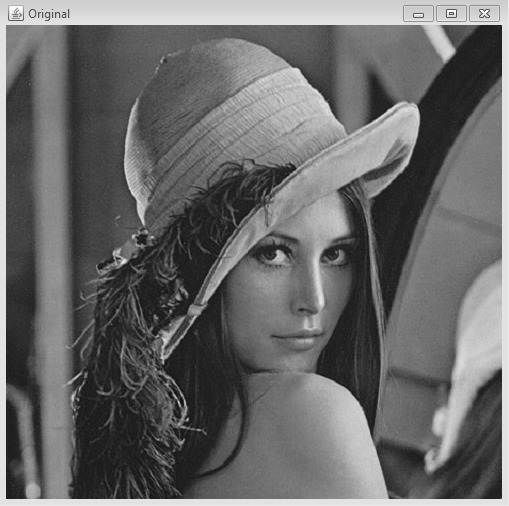
- Programming Tasks
- Image processing
- Raster graphics operations
- 11l
- Action!
- Action! Bitmap tools
- Action! Tool Kit
- Ada
- ATS
- BASIC256
- Batch File/Omit
- BBC BASIC
- C
- C sharp
- Clojure
- Common Lisp
- Crystal
- D
- Delphi
- Erlang
- Euler Math Toolbox
- Euphoria
- Factor
- FBSL
- Forth
- Fortran
- FreeBASIC
- FutureBasic
- Fōrmulæ
- Go
- Haskell
- J
- Java
- JavaScript
- Julia
- Kotlin
- Liberty BASIC
- Lingo
- Lua
- M2000 Interpreter
- Maple
- Mathematica
- Wolfram Language
- MATLAB
- MiniScript
- Nim
- OCaml
- Octave
- Oz
- Perl
- Imlib2
- Phix
- PHP
- PicoLisp
- PL/I
- PureBasic
- Python
- R
- Pixmap
- Racket
- Raku
- REXX
- Ruby
- Scala
- Sidef
- Tcl
- Tk
- Vedit macro language
- Visual Basic
- Win32
- Visual Basic .NET
- Wren
- DOME
- Yabasic
- Zkl
- AWK/Omit
- Lotus 123 Macro Scripting/Omit
- ML/I/Omit
- PARI/GP/Omit
- TI-83 BASIC/Omit
- TI-89 BASIC/Omit